Video Compressor for Mac: Reduce Video Size Without Losing Quality
Video compression on Mac is the art of balancing quality and file size. Compressed clips take up less space on your drive and send faster through messengers or email.
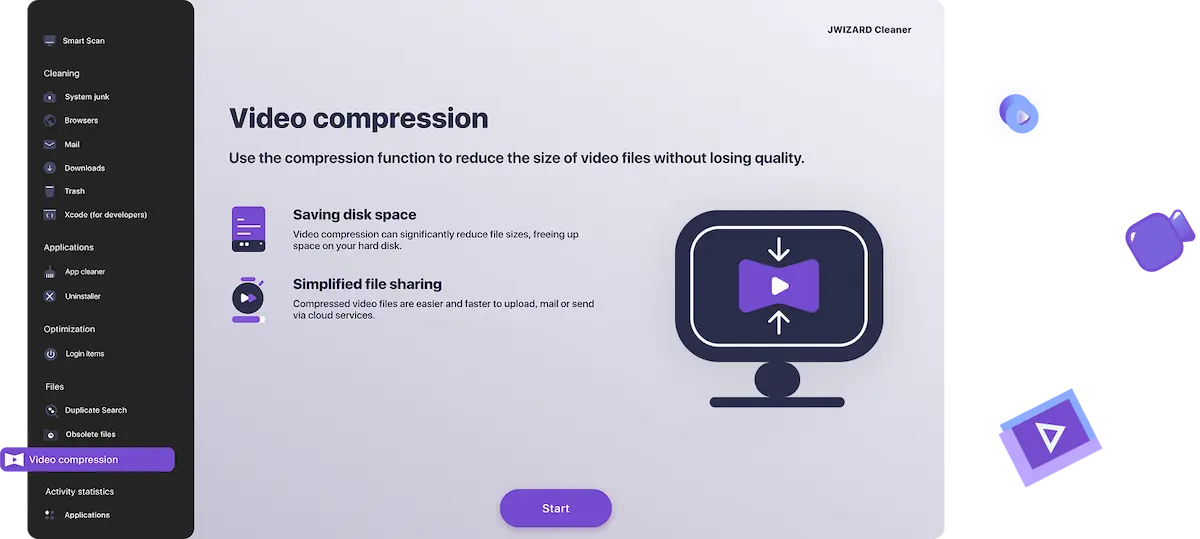
What Does the Video Compression Feature Actually Do?
Mac storage fills up fast – especially if you shoot in 4K. A single 10-minute clip can easily hit 10 GB.
JWIZARD Cleaner analyzes your video and applies smart encoding to reduce the file size by 3–5x, while keeping the picture looking great.

How much storage can you save by compressing video?
Here's what you can expect depending on your compression goal:
Maximum Compression
Original
After Compression
Space Saved
Best For
4K, 5 GB →
1080p, ~1 GB
~80%
Sharing via messengers & social media
Sending with minimal data usage
Sending over slow or limited connections
4K, 500 MB→
1080p, ~100 MB
~80%
1080p, 200 MB→
720p, ~50 MB
~75%
Compress Video – Keep Quality
Original
After Compression
Space Saved
Best For
4K, 5 GB →
4K, ~2 GB
~60%
Archiving – same quality, way less space
Lighter copies for faster video editing
4K, 500 MB→
4K, ~200 MB
~60%
1080p, 200 MB→
1080p, ~85 MB
~60%

When Should You Compress a Video File?
Here are the most common situations where Mac users reach for a video compressor:
1. Sharing videos in messengers and social media.
You want to send a video via Telegram or WhatsApp, but the file is too large. One click is all it takes — JWIZARD Cleaner compresses it instantly, and your video is ready to go.
2. Freeing up storage on your Mac.
If your drive is filling up with footage you still want to keep, compressing old videos can recover gigabytes of space without deleting anything.
3. Uploading to cloud storage or video platforms.
Services like Google Drive, iCloud, and YouTube can be slow to upload large files. A compressed MP4 or MOV uploads in a fraction of the time.
4. Speeding up video editing.
Working with heavy 4K files in Final Cut Pro or iMovie can slow your machine to a crawl. Lightweight proxy copies edit much faster – and you can always go back to the original for export.

How to Compress Video on Mac – Step-by-Step
Here's how to reduce video size using JWIZARD Cleaner – it takes less than a minute:
Step 1. Open JWIZARD Cleaner and select "Video Compression"
Launch the app and find the Video Compression module in the main menu. Click it to open the tool.
Step 2. Add your video file
Click "Add Files" or drag and drop your video directly into the window.
Step 3. Choose your compression level
Switch between modes — the app instantly shows an estimated final file size.
Step 4. Hit "Compress"
Start the process. In a few minutes, the app will prompt you to choose a folder to save your video.
Step 5. Save your compressed video
Choose where to save the output file. That's it – your compressed video is ready to share, upload, or archive.
Why should you choose JWIZARD Cleaner?
Optimized for Apple Silicon.
JWIZARD is built to run natively on M1, M2, and M3 chips.
Compress video without losing quality
Smart encoding keeps your video looking sharp even at smaller file sizes. You'll notice the size difference, not the quality difference.
No technical knowledge required
You don't need to know what a codec or bitrate is. Pick a mode, click compress, done.
Supports all standard Apple formats
Works seamlessly with QuickTime MOV, MP4, M4V, and videos shot on iPhone or iPad.

Trusted by thousands of users.
Over 100, 000 people have chosen JWIZARD Cleaner to improve their devices' performance. Join them!

JWIZARD Cleaner user feedback
Other JWIZARD Cleaner features
System junk cleanup
Smart Scan mode
Uninstaller
Downloaded file cleanup
Download JWIZARD Cleaner today
Compress your video for sharing, storing, or editing — just a couple of clicks.
Frequently Asked Questions
What video formats does JWIZARD Cleaner support?
The app compresses MP4, MOV (Apple's native QuickTime format), M4V, AVI, MKV, and WMV files. If you shoot on iPhone, iPad, or a Mac-connected camera, your footage is almost certainly supported.
Can I compress video without losing quality?
Which macOS versions are supported?
How long does video compression take?
Articles

Resolving the problem of uninstalling apps from Launchpad on Mac
Learn how to resolve the problem with uninstalling an app from Launchpad. This article provides step-by-step instructions and helpful tips for troubleshooting this issue

How do I uninstall an app on my Mac?
3 ways to uninstall apps on your Mac: compare and choose the one that works best for you. Learn how to completely uninstall an app from your Mac and clear disk space.
Freeing up space on your Mac: How do I delete junk files and clean up my disk?
Learn how to clear disk space on your Mac using manual cleanup methods or a program. Follow the tips to free up space and improve performance.