Your iPhone library grows quietly. Burst shots, screenshots, the same sunset saved three times over – and suddenly storage is maxed out. Analysts estimate that duplicates and near-identical photos can make up 10–20% of a typical iPhone library, which translates to 1–2GB of storage or more. At JWizard, while testing Apple’s native tools, we ran into a hard limit: the built-in duplicate merger only catches exact copies, and it requires iOS 18. In other words, near-duplicate bursts – several similar frames shot seconds apart – slip through completely. This guide breaks down how to choose a similar photo cleaner for iPhone that actually handles this safely: what Apple’s own tools can and can’t do, what to check before trusting a third-party app, and how JWizard Cleaner automates the whole process.
Table of Contents
- What Apple’s Built-In Tools Can (and Can’t) Do
- Popular Alternatives for Finding Similar Photos
- How to Choose a Similar Photo Cleaner for Your iPhone
- JWizard Cleaner for iPhone
- Frequently Asked Questions
What Apple’s Built-In Tools Can (and Can’t) Do
Apple’s Photos app has a duplicate-merging feature tucked under Albums → Utilities → Duplicates. It arrived with iOS 18, and it only flags files that are byte-for-byte identical – think photos saved twice after being shared over Messages or WhatsApp.
There’s also a Clean Up tool, but it removes individual objects from within a single photo. It isn’t built to work as a bulk duplicate remover. Trying to use it manually across a library of a thousand-plus photos simply doesn’t scale – you’d have to open each image one at a time.
⚠️ The catch: the native Clean Up tool doesn’t scan your whole library for visually similar shots, nor does it let you sort results by size or date. To actually reclaim meaningful space, you need a tool built for batch analysis.
Therefore, if your goal is genuinely freeing up storage, it makes more sense to start with direct duplicate removal rather than manually editing objects out of individual shots. We cover this in more depth in our guide on removing duplicate photos, which walks through why copies pile up and how to clear them step by step.
Popular Alternatives for Finding Similar Photos
The real test of any cleaner isn’t how many files it finds – it’s how deep its analysis goes. Does the app catch exact duplicates only, or does it also flag near-identical burst shots? And just as importantly, how easy is it to review what it finds?
Third-party iOS apps generally offer broader analysis than the native Photos app, though they differ quite a bit in how they sort and present the results.
Among these options, the native Photos app only covers the basics – merging exact copies, and only on devices running iOS 18. For anyone who needs sorting by size or by last-interaction date, the built-in tool simply falls short. JWizard Cleaner, meanwhile, also handles video, which matters if your library is a mix of photos and clips rather than photos alone.
How to Choose a Similar Photo Cleaner for Your iPhone
When evaluating a similar photos cleaner for iPhone, the number of files it finds matters less than how it helps you actually decide what to delete. A good tool shows you the difference between near-identical shots – it doesn’t just dump a list of thumbnails that look the same at a glance.
With that in mind, check these three things before committing to an app:
- Search accuracy. The app should catch visually similar frames, not just files that match byte-for-byte.
- Flexible sorting. Results are far easier to review when you can order them by size, file type, or last interaction date.
- Safe deletion. A preview step before anything gets erased protects you from accidentally losing a photo you actually wanted to keep.
Beyond that, it’s worth checking whether the tool also handles video – clips often take up more room than photos, and years of uncompressed footage can quietly become the biggest chunk of your storage.
So how do you automate this without manually sorting through your entire library?
JWizard Cleaner for iPhone
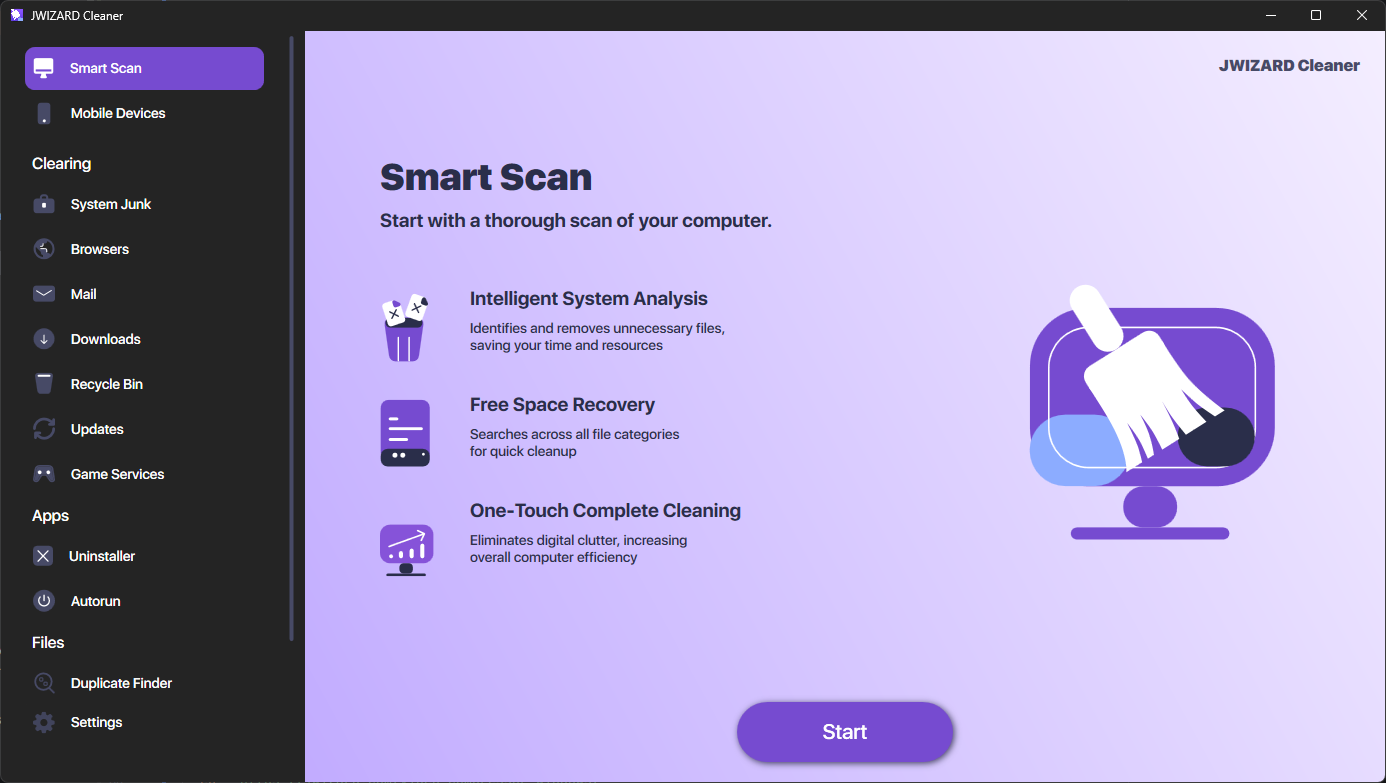
Sorting through similar shots by hand can eat up hours, especially if burst photos have been piling up for years. JWizard Cleaner scans your media library and file storage for identical and similar items, then organizes what it finds for easy review:
- Sort by file type – photos and videos kept separate.
- Sort by size – the biggest duplicates, and the biggest potential savings, surface first.
- Sort by last interaction date – old, forgotten duplicates are easy to spot.
Beyond photos, the app also tackles the second major cause of storage pressure: bulky video files. Its compression tool offers two presets – “Maximum Compression” for the biggest space savings, and “No Quality Loss” for shrinking file size while keeping the original picture quality intact.
The space you get back adds up faster than it looks at first glance: a couple hundred similar shots plus a handful of heavy videos can easily total several gigabytes. Checking your library once a month, as a result, beats a single massive cleanup once a year’s worth of clutter has piled up. Ultimately, whether manual sorting or automation makes more sense depends on your library size – the bigger it gets, the clearer the case for a tool that handles sorting and compression for you.
Frequently Asked Questions
Can I safely delete similar photos on iPhone without losing shots I actually want?
Yes, as long as the tool shows a preview before deleting anything. The native Photos app only merges exact duplicates, so for similar-but-not-identical bursts, you need a tool with visual comparison built in.
How is a third-party similar photos cleaner for iPhone different from Apple’s built-in tool?
The native duplicate merger in iOS 18 only works with files that are completely identical. Third-party tools, on the other hand, catch visually similar burst shots and add sorting by size and date – features the Photos app simply doesn’t offer.
Is the Clean Up tool worth using to free up storage?
Not really – it’s meant for removing specific objects from a single photo, not for clearing out a library in bulk. For libraries with over a thousand photos, using it manually just isn’t practical.
Does cleaning up similar photos actually free up meaningful storage?
Yes, especially when paired with video compression: duplicate photos typically take up 1–2GB, while uncompressed video files usually take up considerably more. JWizard Cleaner handles both tasks within a single app.