Video files eat up most of the free space on any Mac: one hour of 4K footage weighs around 84 GB at a standard bitrate. JWizard engineers studied typical storage-filling scenarios and found something telling: users lose up to 70% of potential savings simply because they pick a Mac cleaner with video compression without understanding how compression actually works in each tool. We tested three approaches – QuickTime Player, CleanMyMac, and CleanMyPhone – and pinpointed where each one falls short. We also added JWizard Cleaner as an alternative that previews the result before you commit to it.
Table of Contents
- How Much Space Does Video Actually Take Up on a Mac
- Why Built-In Tools Don’t Always Cut It
- Comparing Mac Cleaners with Video Compression
- QuickTime Player: Fast, But You’re Flying Blind
- JWizard Cleaner for Mac
- Frequently Asked Questions
How Much Space Does Video Actually Take Up on a Mac
4K video takes up roughly 1.4 GB per minute under standard H.264 encoding. Switching to HEVC drops that to about 375 MB per minute – a savings of roughly 73% with no change in resolution. For comparison, 1080p at 30fps with an 8 Mbps bitrate weighs around 60 MB per minute.
These numbers explain why macOS’s built-in storage optimization – offloading files to iCloud, clearing old downloads – doesn’t always solve the problem. Local video files simply sit on the drive until you compress or delete them yourself.
Why Built-In Tools Don’t Always Cut It
macOS optimizes storage automatically: it moves older files to iCloud and removes already-watched movies from Apple TV. However, this mechanism doesn’t touch video files shot on camera or downloaded from third-party sources. As a result, it’s user-generated footage that actually fills up the drive.
Compressing that kind of file requires a dedicated tool – built-in or third-party. The difference between them is significant: some only change resolution, others re-encode without a visible quality hit, and a few actually show you the projected file size before you save.
Comparing Mac Cleaners with Video Compression
When choosing a Mac cleaner with video compression, the parameter that matters most is predictability: you need to see the final size before saving, otherwise compression becomes a guessing game.
Among the options tested, only JWizard Cleaner shows the approximate file size before saving and lets you choose between quality and compression level. CleanMyMac handles basic disk cleanup well, but it has no video compression feature at all. CleanMyPhone does compress video, though results vary depending on the file format and the preset selected. JWizard Cleaner is a paid-license app with over 50,000 installs across four platforms.
Data on competitors is based on publicly available information at the time of publication and may not reflect current product functionality.
QuickTime Player: Fast, But You’re Flying Blind
QuickTime Player on macOS 15 lets you export video at a lower resolution via File → Export As. The available options are 720p and 480p. Re-encoding happens without any preview of the final file size and without a “lossless” preset.
The process is straightforward:
- Open the video file in QuickTime Player.
- Select File → Export As.
- Choose a resolution: 720p or 480p.
- Click Save and wait for the export to finish.
⚠️ QuickTime doesn’t show file size before exporting and offers no choice between quality and compression level. If you want to keep the original resolution while shrinking the file, this method simply won’t work.
If your real goal is to regularly remove apps on Mac and free up space systematically rather than as a one-off fix, manual exports through QuickTime quickly turn into a chore.
So how do you automate compression and see exactly how much space you’ll reclaim beforehand?
JWizard Cleaner for Mac
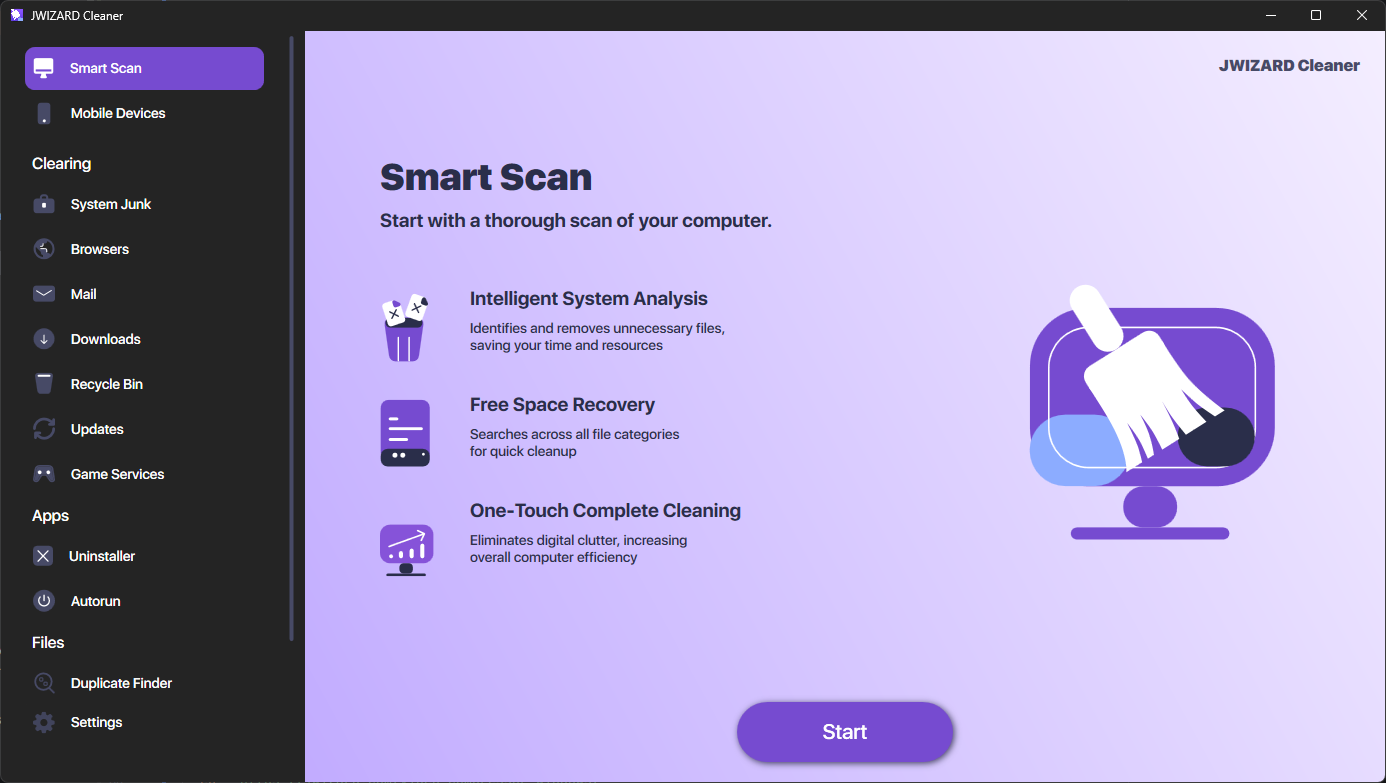
For anyone who wants actual control over the outcome, JWizard Cleaner scans your Mac for every video file and groups them by size and date – making it far easier to decide what to compress first.
- Video grouping by size (over 2 GB, over 1 GB, over 500 MB, under 500 MB) and by recording date
- Preview of each clip before compression
- Two presets: “Lossless” (original resolution, more efficient re-encoding) and “Maximum Compression” (720p, up to 60fps)
- Estimated file size after compression, shown before you save
- Choice of outcome: save alongside the original or replace it
A properly compressed 4K video takes up 3–4 times less space, yet remains visually indistinguishable from the original on most screens. Which tool fits best ultimately depends on how often you do this: a one-off export is simpler through QuickTime, while managing a large, growing video library calls for a tool with preview and grouping built in. If you’re trying to figure out which Mac cleaning app covers multiple jobs at once – cleanup, duplicate removal, and video compression – compare the options by technical capability, not just interface polish.
Frequently Asked Questions
Can you compress video on a Mac without losing quality?
Any re-encoding reduces quality to some degree. That said, the “Lossless” preset in specialized cleaners minimizes the loss by using a more efficient codec – HEVC instead of H.264, for instance. The difference is essentially invisible on a phone or tablet screen.
How is a Mac cleaner with video compression different from QuickTime?
QuickTime only changes resolution and gives you no size estimate before export. A cleaner with dedicated video compression, on the other hand, offers a choice of presets, a size preview, and the option to save the result next to the original – so you never risk losing the source file.
Why does compression in CleanMyPhone sometimes make a file bigger?
Compression works by adjusting bitrate: if the source file is already efficiently encoded, re-encoding it just adds overhead. As a result, the file ends up larger, not smaller. That’s exactly why seeing the projected final size before compressing matters so much.
Which Mac cleaner with video compression shows the file size before saving?
Among the apps we tested, only JWizard Cleaner previews the final file size beforehand. That means you can gauge the actual savings before the original file gets overwritten.